
Everything done fast, clearly.
Klarflow for Odoo puts the daily work in Odoo on your Mac, iPhone and iPad as native apps.
On the Mac, it lives in the menu bar.
One click on the K, and your day is there. Anything bigger opens in a proper Mac window.
-
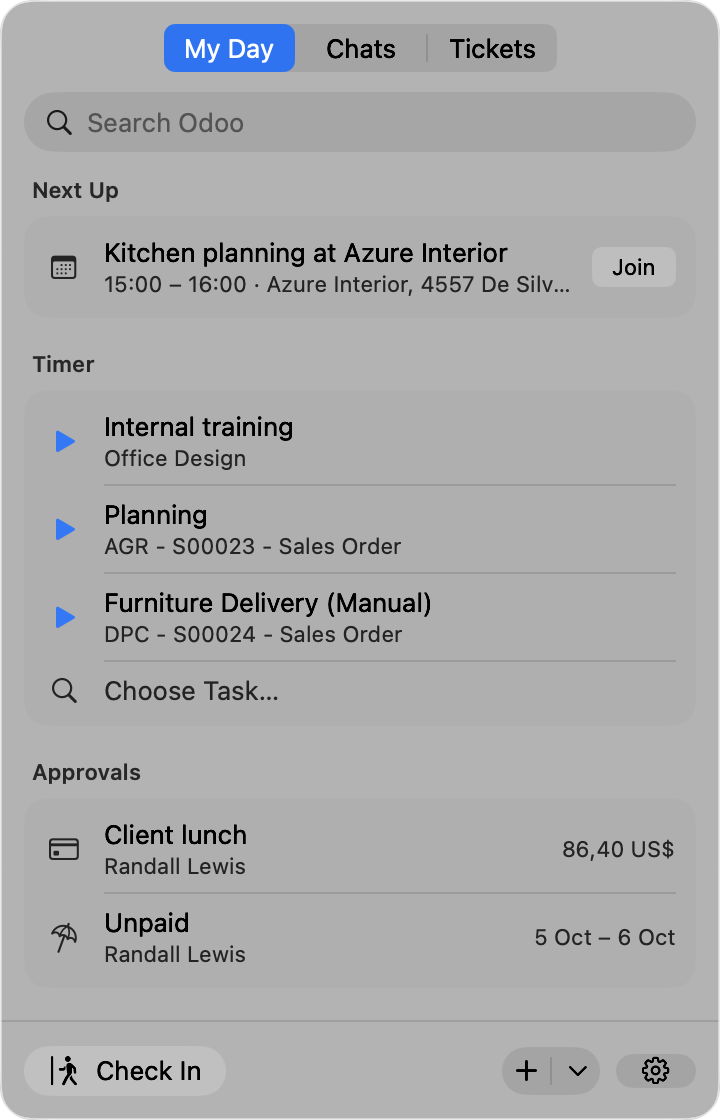
Menu bar panel
Next meeting, timers, activities and approvals, one click from anywhere. Check in and out from the same place.
-
Quick create ⌃⌥Space
Press the shortcut, type a title, press Return. A task, lead, contact or note is in Odoo.
-
Widgets
Running timer, hours logged today and your next activities, with a Done button.
-
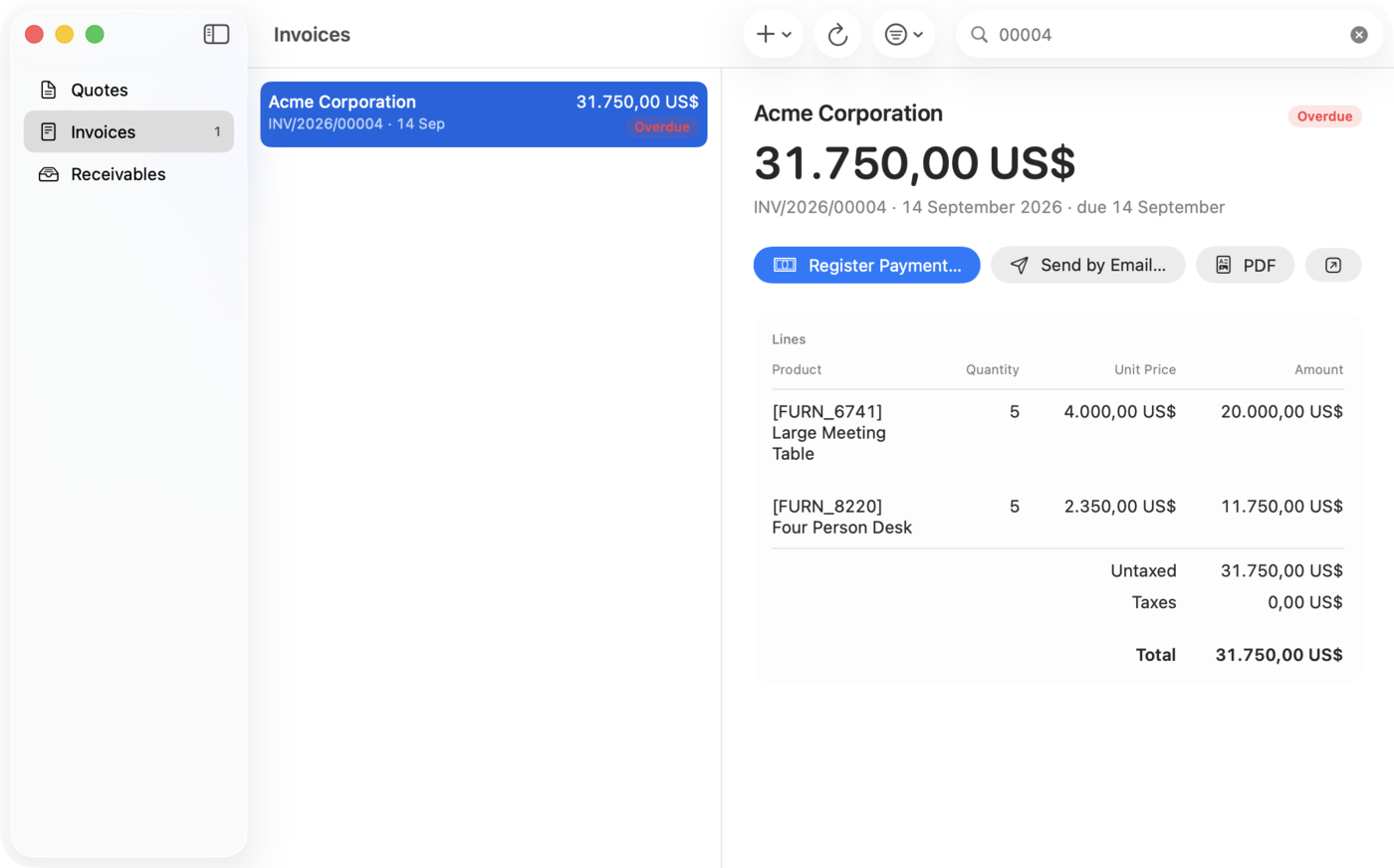
Documents window
Quotes, invoices and receivables in a real Mac window. Register a payment, send by email, open the PDF.
Native on every Apple device you work on. Your Odoo stays where it is.
- Available on
- Mac, iPhone and iPad. macOS 26 and iOS 26 or later.
- Works with
- Odoo 17, 18 and 19, self-hosted and Odoo.sh. Odoo Online on the Custom plan.
- Your data
- The apps talk to your Odoo directly. No Odoo data is stored anywhere else.
Up and running in three steps.
-
Install the free module
Add the Klarflow module to your Odoo. It is free, and it brings sign-in through your company login, PDFs and alerts.
-
Get the apps
Klarflow for Mac, iPhone and iPad, from the App Store.
-
Sign in with your Odoo login
Enter your Odoo address and sign in. Your day is ready.
One plan. Everything in it.
- Klarflow on Mac, iPhone and iPad
- The home screen for your role
- Menu bar panel, quick create and widgets
- Quotes, invoices, delivery notes and PDFs
- The Klarflow module for Odoo, free
For teams and organizations: rollout support, managed configuration and single sign-on on request. hallo@kflow.one
Android and Windows are coming soon.
For teams, IT and Odoo partners.
Rolling Klarflow out to more people? IT keeps control, and your data stays in your Odoo.
Read the MDM guide on the support page
Odoo partner? Talk to us about offering Klarflow to your customers: hallo@kflow.one
-
Managed configuration
Your MDM sets the server, database and sign-in method. People open the app and sign in, with nothing to type.
-
Single sign-on
People sign in through the company login, with two-factor authentication and passkeys. The free Klarflow module for Odoo makes it work.
-
One key per device
Each device gets its own API key, kept in the keychain. Revoke it, and access ends at once.
-
Data stays in your Odoo
The apps talk to your Odoo directly. The contents of your Odoo records never reach our servers.
Questions and answers.
Which Odoo versions and hosting does Klarflow support?
Odoo 17, 18 and 19, self-hosted or on Odoo.sh. The server needs to allow access through the external API.
Does it work with Odoo Online?
Yes, on the Custom plan, which includes access through the external API. The Klarflow module cannot be installed on Odoo Online, so sign-in through the company login is not available there.
Where is our data?
In your Odoo. The apps connect to your server directly. Our servers, hosted in the EU, only pass on short alerts and count licences.
Does Klarflow store Odoo data?
No. The contents of your Odoo records never reach our servers. The apps read and write directly in your Odoo.
Is there Klarflow for Android or Windows?
Not yet. Both are coming soon. Today Klarflow runs on Mac, iPhone and iPad.
Do you work with teams and organizations?
Yes. Rollout support, managed configuration and single sign-on are available on request. Write to hallo@kflow.one.
Try Klarflow free for 7 days.
On your Mac, iPhone and iPad, with the Odoo you already have.
Questions first? Write to hallo@kflow.one